
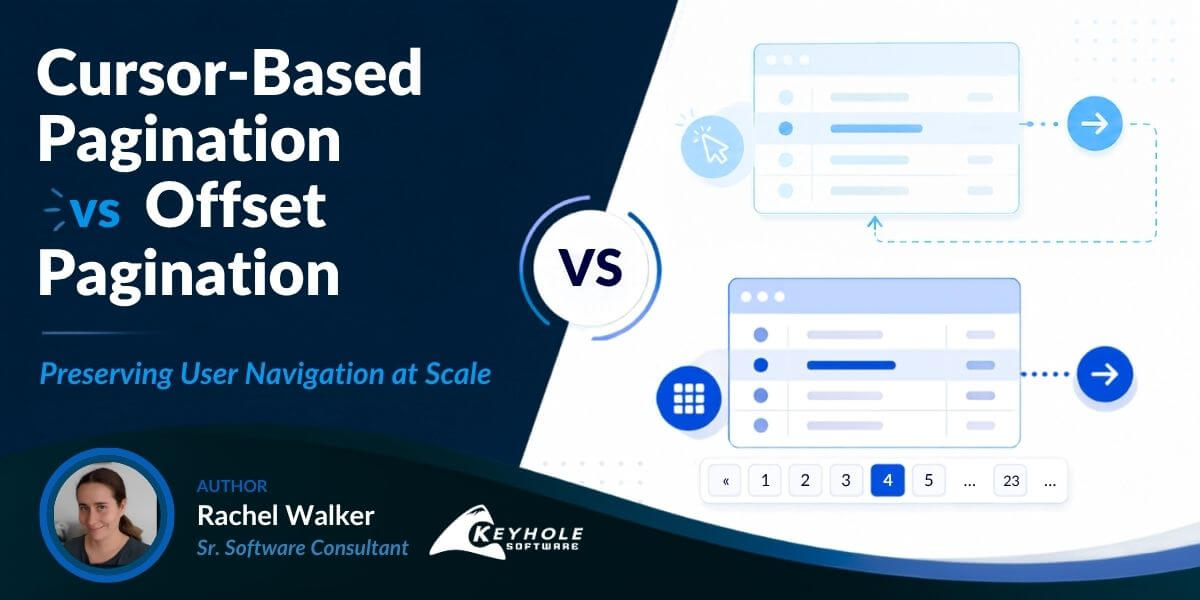
Cursor-Based Pagination vs Offset Pagination: Preserving User Navigation at Scale
Cursor-based pagination has become the default pagination strategy for many modern APIs, including GraphQL APIs, cloud platforms, and large-scale SaaS applications. While it offers significant performance advantages over traditional offset pagination, it introduces new challenges for navigation, bookmarking, sharing links, and preserving user context. In this article, we compare cursor pagination vs offset pagination, explore why the industry is moving toward cursor-based APIs, and discuss practical techniques for maintaining a familiar user experience.
—
It’s a regular work day and I am trying to debug an error that is occurring in my AWS infrastructure. I have Cloudwatch Insights open with a query, my filters set as granularly as possible, and I am skimming thousands of messages that came in within the same second. The scrolling and the “loading more” feels eternal. Finally, I spot a likely entry in the logs. I pause with it at the top of the screen, walk away to get some coffee and come back to really dive in.
I am gone a minute too long. My session timed out and I have to refresh to resume. Noooooo. I’ve lost my place in the feed. If I’m lucky, I remember at least one searchable keyword of the entry and can do some additional filtering. If I’m not, the eternal scrolling starts again to get back to where I was. All I had to do was click on the specific record then I would’ve had something to come back to, but I didn’t and here we are.
As a user, it feels like a step backwards from the navigation that I am used to. I used to be able to be on a page, walk away from my session, and come back to where I was. I want to be able to send a link and have the person I am sharing with see exactly what I saw. I want to be able to skip directly to page 7 of my results.
As a developer who has spent years coding against APIs with offset-based pagination, it feels like a problem we’ve already solved. Why are we back in a world without page numbers? Why does hitting the back button no longer take me semantically back to where I was? All I need is the offset pagination data and I can at least get users back to the correct location, but suddenly APIs are switching to no longer give me that. I just have tokens for where I am and where I need to go.
While it may feel like we’re regressing, the move to scrollable APIs is not just a new trend or a case of big data not caring about the user experience. It is a consequence of a performance tradeoff that the industry has decided is worth making.
As the amount of data that is processed and displayed to users continues to increase, the techniques for pagination have had to adjust to handle it.
As a UI developer I feel caught in the middle: I need to interact with big data APIs, but I need to meet the navigation needs of my users.
This post explores cursor based pagination from this lens. Why are so many APIs moving away from offset based pagination and how can we preserve the user experience when we are forced to make compromises?
What You’ll Learn
- Why cursor-based pagination performs better than offset pagination at scale
- The differences between session cursors and keyset cursors
- Common UX challenges introduced by cursor pagination
- Techniques for preserving bookmarkable URLs and navigation
- How anchor-based navigation can restore shareable links
What is Offset Pagination?
In offset pagination, a query is performed to count the available records. Rather than returning all available records at the same time, it is returned in chunks based on the position in the result set. The API will skip a predefined number of records (the offset) before fetching the requested number of results (the limit). This gives us several things for free:
- Stable page addresses. Page 4 always means rows 76–100. That URL is bookmarkable, shareable, and cacheable. Any server can answer it independently.
Random access. We can jump to page 47 without walking through pages 1–46:OFFSET = (page - 1) * pageSize.
- Total count. We can tell the user “page 4 of 23” because we can ask the database how many rows match the query.
- Reversibility. The back button works because the URL contains everything needed to reconstruct the view from scratch. There’s no state to restore.
This comes with a cost. The performance of offset pagination is O(N) where N is the number of records skipped. This works fairly well up until 10k records. After that point, performance begins degrading quickly. OFFSET 100000 LIMIT 20 doesn’t skip 100,000 rows. It reads them, evaluates them, and discards them. This takes time and memory.
For smaller data sets and mostly static records, we can do a lot of complex optimization, so it has become a staple in UIs. But as big data grows, it is being phased out of many APIs in favor of a more performant option.
What is Cursor-Based Pagination?
Cursor-based pagination is a pagination strategy that retrieves records relative to a specific position in a dataset rather than using offsets and page numbers.
Many APIs no longer return the offset/limit. Instead, the results are returned along with an encoded string. This encoded string (the cursor) points to the last record that was evaluated. To retrieve the next page, the cursor is passed back to the API. It finds that specific record, then reads forward or backwards from there.
This gives us significantly better performance at scale. Rather than O(N) degradation as the offset grows, the cost of the seek is O(log N) against a B-tree index as long as the indexes are optimized for this navigation. This cost stays flat no matter how deep in the dataset we traverse. Page 1 and page 10,000 cost the same.
Instead of saying “give me rows 100,001 through 100,020,” a cursor query says “give me the 20 rows after this specific record.” Because it’s working from a position rather than a count, it has no concept of total rows, page numbers, or arbitrary positions. We can go forward from where we are and we can go backwards, but we cannot teleport into the middle.
Cursor Pagination vs Offset Pagination
Comparing cursor pagination vs offset pagination reveals why many modern APIs are moving away from page-number navigation. Cursor-based pagination provides significantly better performance at scale, while offset pagination offers stronger support for random access, shareable URLs, and total result counts.
The loss of random access is what gives us the performance gain. It is here to stay, but there are tradeoffs. We are limited with:
- No random access. There is no formula to jump to page 47. We can only move forward or backward from a cursor we already have.
- No total count. The database is no longer materializing the full result set, so it has no way to say how many records match in total. “Page 4 of 23” is gone.
- No stable page addresses. A cursor encodes a position in a traversal, not a stable location in the data. The same cursor means nothing across sessions, and there is no URL you can construct that reliably means “page 4.”
- Reversibility is complicated. The back button no longer works for free — the URL doesn’t contain enough information to reconstruct the view from scratch without the cursor, and the cursor may not survive a session reset.
Cursor-based pagination is especially common in GraphQL APIs and modern REST APIs. Many GraphQL frameworks implement cursor pagination through Relay-style connections that expose edges, nodes, and cursors rather than traditional page numbers. As API datasets continue to grow, cursor-based pagination has become the preferred approach for scalable API pagination.
Keyset Pagination vs Session-Based Cursors
Not all cursor pagination is implemented the same way, although this nuance is frequently skipped in discussion. For developers who are trying to maintain the navigation experience that users are used to, the distinction can be important.
A session-based cursor encodes server state. The token API returned is a key to something the server is holding such as a snapshot, a materialized result set or a cache entry.
It is not necessarily pointing at a database position and it means nothing outside that server context. The token cannot be reconstructed and when the session expires, it is gone.
In keyset pagination, the cursor encodes data coordinates rather than server state. A keyset cursor typically contains actual values from the data – typically something like indexed columns such as timestamps and IDs. For example:
{"created_at": "2024-03-15T10:23:00Z", "id": "msg-1234"}
These values are often base64-encoded making the cursor look opaque. Because it’s derived from the data itself rather than a server-side session, it can be reconstructed independently of any session, at any time. This approach is one of the reasons keyset pagination scales so well for large datasets.
Most APIs present session-based and keyset-based cursors as opaque strings, which makes it easy to conflate them. The easiest way to check is to base-64-decode the cursor and look at what’s inside.
- If there are recognizable field names and values, we’re likely working with a keyset cursor.
- If we see a UUID, hash, or something that means nothing outside the server’s context, it’s session-based.
Do not make implementation decisions against this – those should be made against published API documentation, but it can guide us in knowing our options.
Preserving User Experience With Cursor-Based Pagination
The distinction between session and keyset cursors matter a lot for what we are able to build from a user perspective. Sometimes the answer really will be that the UI has to change dramatically to better represent the data in context, and it is going to be better to go along with that than try to fight it. But if the prior representation was meaningfully important, there are a few options to explore.
Session-Based Cursors
If we are using session based cursors, there are some options for giving back navigation that is more familiar to the users. Really though, they are limited and it is best to discuss that upfront with stakeholders rather than building something fragile around it.
Client-Side Cursor Cache
Client-side cursor cache is a common approach. As the user navigates forward in the result set, each cursor is cached against a pseudo “page number” in memory. Page 1 maps to cursor A and so on.
Because the cache is built by walking forward through the results, the total page count is never known upfront and the UI can only show pages the user has already. Navigation will show a next button as long as the API keeps returning cursors. This gives prev/next navigation that feels similar to offset pagination within a session.
Unfortunately, it will die completely on refresh, cold back button, or when sharing a link to the result set. The cache is gone and the cursors with it. However, this is a reasonable solution for use cases where users are unlikely to share links or return to a specific page across sessions.
Prev/Next Navigation
Prev/Next Navigation if we are transitioning users from the paged UI that users have been using and are not quite ready to jump to scrolls, showing prev/next with position context instead of page numbers is a reasonable fallback.
Rather than “page 4 of 23,” show something like “results after March 15” or use a visual progress indicator that doesn’t make promises about total count in the navigation. This is the most accurate representation of the available information and users may adapt faster than a sudden UI Shift.
When Permanent Links Are Required
If the users really do need permanent shareable links and page-number navigation, and the client is consuming a session-based cursor API with no control, then it’s a genuinely difficult situation. No amount of client-side engineering fully solves it, and it’s worth having that conversation with the product team before promising something the backend can’t support.
Why Keyset-Based Cursors and Anchor Navigation
Keyset-based cursors may look the same and either of the prior session-based cursor strategies from before will work for them, but the implementation details may give one additional tool to bridge the gap between our prior UI and our new one: Anchor-based navigation.
In keyset-based cursors, we have the information that was used to construct the cursor. We may also know what record the user had in context. We no longer have a “page” as a fundamental unit, but we do have that record as a focal point to build around.
An anchor is a specific record’s keyset values which are the coordinates the cursor is derived from.
Anchor-Based Navigation with Keyset Pagination
Instead of saying “start after this record” we can say “given this fixed point, give me N records before it and N records after it”. Any query, any session, any server can reconstruct that window as long as the anchor record exists and the sort key hasn’t changed.
Anchor-based navigation allows developers to recreate many of the usability benefits traditionally associated with offset pagination while still taking advantage of the performance benefits of keyset pagination.
How Anchor-Based Navigation Works
Given an anchor record with keyset values (created_at, id), we run two queries:
sql
-- N records before the anchor (note: reverse sort, then flip results in memory)
SELECT * FROM posts
WHERE (created_at, id) < ('2024-03-15T10:23:00Z', 'msg-1234')
ORDER BY created_at DESC, id DESC
LIMIT 25;
-- N records after (and including) the anchor
SELECT * FROM posts
WHERE (created_at, id) >= ('2024-03-15T10:23:00Z', 'msg-1234')
ORDER BY created_at ASC, id ASC
LIMIT 25;
Merge the results, present them as a single window with the anchor roughly centered. The shareable URL encodes the anchor values:
/results?anchor=2024-03-15T10:23:00Z_msg-1234
Now anyone following that link across any session or device gets the same window reconstructed fresh from the live data.
Benefits And Tradeoffs
What this gives us:
- Stable page addresses: The anchor is a data coordinate that can live in a URL permanently. Shareable links work. The back button works because the URL contains the anchor, not a session token.
- Random access: We can directly jump to any record with an anchor, but still cannot go back to “page 7”. This may frustrate people who use page numbers to navigate but in practice, users share links to specific content more often than pages.
- Reversibility: The back button works. Refresh works. Share works.
What this doesn’t give us:
- Page numbers still cannot be shown in the traditional sense. We can show relative position (“25 results before and after this point“) but cannot show “page 4 of 23” without the total count, and we do not have that.
- The window shifts as data changes around the anchor. New records inserted near the anchor will appear in subsequent loads; deleted records will disappear. The anchor itself is stable, but the neighborhood reflects current data. For use cases where users need a frozen view of results as they were at a specific moment, we need snapshot isolation at the database level, which is a much heavier solution.
Key Takeaways
Cursor-based pagination is quickly becoming a standard approach for API pagination in cloud platforms, GraphQL APIs, and large-scale applications. Like everything else in our field, we have to adapt to the change and do our best to help our users accept technical limitations as well. As datasets continue to grow this will become more of a problem and we will come up with new solutions.
Scrollable UIs are becoming more common, especially with AI chatbots leading to a more conversational centered user search and navigation experience, but they aren’t always what users really need. Anchor navigation, intentional caching, and honest conversations can get us a long way in bridging the gaps.
Understanding the tradeoffs between cursor pagination and offset pagination is becoming increasingly important for frontend and API developers. As datasets continue to grow, cursor-based pagination will remain the preferred approach for performance-sensitive systems. The challenge is no longer choosing between cursor pagination and offset pagination, but designing user experiences that preserve navigation, sharing, and discoverability while taking advantage of cursor-based performance gains.
I think I will always grumble when my Cloudwatch session refreshes unexpectedly, but understanding that having to click a stable link before I go and get my coffee is the tradeoff that I’m making for performance makes it more tolerable.
More From Rachel Walker
About Keyhole Software
Expert team of software developer consultants solving complex software challenges for U.S. clients.
Share This Post
Join The Thousands Of Devs Who Subscribe


Discuss This Article
Subscribe
Login
0 Comments
Oldest