Getting Started with Azure Data Studio

Todd Horn Articles, Azure, Cloud, Databases, Development Technologies & Tools, DevOps, Project Management Leave a Comment

On my last two projects, I decided to give Azure Data Studio a try to see how it measured up to SSMS. Azure Data Studio gives you a more modern editor experience. It’s comparable to Visual Studio Code with IntelliSense, source control with GIT, and an integrated terminal for Powershell or SQLMD commands.

Azure Data Studio was built with a data platform user in mind, and its easy editing and export options, built-in charting of query results, and customizable dashboards make it an incredibly valuable tool.

In this post, I’ll go over some of the basics of how to use Azure Data Studio.
Git Made Easy with GitKraken

Chris Berry Articles, Development Technologies & Tools, Git, Programming 1 Comment

GitKraken is a graphical user interface for Git built on top of the Electron framework – much like the popular Visual Code editor is. GitKraken is cross-platform, which means that developers can use it on Windows, Mac, and/or Linux. No matter what type of development environment you’re working in, you can have the power of a graphical user interface for Git.

GitKraken has all of the expected features of a graphical user interface for source control usage, AND it has a few hidden jewels which make it an absolutely outstanding tool to use. These are listed and discussed in the blog below.

Infrastructure as Code Using Azure CLI

Todd Horn Architecture, Articles, Azure, Cloud, DevOps, Tutorial Leave a Comment

Infrastructure as Code (or IaC) is the process of using code and versioning in the same way you do your source code to manage your networks, VMS, and Azure resources. IaC generates the same environment every time it is applied, and it’s an important DevOps practice to use alongside continuous delivery.

The release pipeline executes this model to configure target environments. If you need to make any changes, you edit the source, not the target environment. This allows you to create reliable and stable environments on-demand that can be validated, tested, and repeated.

In this blog, we’ll look at how we can use Azure CLI and Azure DevOps Release Pipelines to make this happen. I’ll walk you through all the steps you need to take to get set up.

Keyhole Releases Updated Design Tool, MockOla

Keyhole Software Articles, Company News, Design, Keyhole, Keyhole Creations Leave a Comment

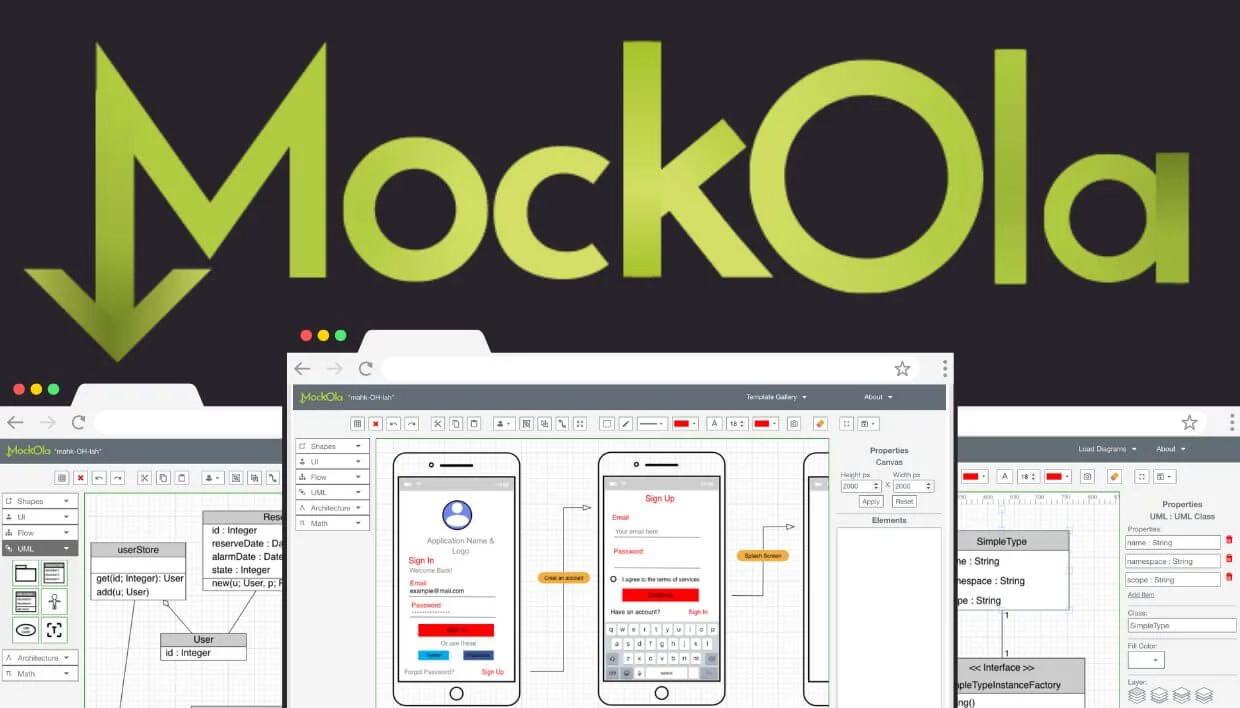
Keyhole Labs has released an updated version of the design tool, MockOla. MockOla gives users the power to build beautiful UI wireframes, free-form designs, flow charts, and UML diagrams. Insert elements from specialized palettes by simply dragging and dropping them onto the canvas. Easily add, move, reshape, and customize the elements to fit your unique design purpose. Share your designs by downloading them in either JSON or PNG format, or save your designs locally to access and edit them later.

How and Why to Containerize Your Development

John Hoestje Articles, Development Technologies & Tools, Docker, Opinion, Python, Tutorial Leave a Comment

This is a tutorial for how to use the VS Code Remote-Containers extension to containerize your development environment. First, I will discuss my reasons for separating my programming environment and why virtual machines didn’t work. Then, I’ll show a simple example using a containerized Python development environment. Finally, I’ll give you my reasons why containerizing the development environment fits what I’m looking for in a solution.