
Automating Flutter Deployments: Part 2 – Screenshots

Rachel Walker Articles, Automation, Development Technologies & Tools, Flutter Leave a Comment

Recently, I worked on automating some internal processes for building and releasing Flutter applications. Part of this work has involved integrating integration test runs and screenshots as part of the release and deployment process.

I wanted to be able to use the same set of tests to validate our code on Android and iOS devices without having to write large amounts of platform-specific code or configuration. These tests needed to be able to integrate with Fastlane, so they can be utilized by CI/CD. Specifically, this restricted setup runs using command line tools with no manual steps in Xcode or Android Studio, aside project level configuration.

This blog is Part 2 of a three-part series exploring automating Flutter CI/CD on CircleCI. Part 1 covered setting up Fastlane to build and deploy applications locally, this post outlines automating screenshot capture and test runs, and part 3 discusses configuring CircleCI to automate these processes.

Top React Frameworks for Enterprise App Dev

Top React Frameworks for Enterprise App Dev

Zach Gardner Articles, Consulting, Development Technologies & Tools, Opinion, React Leave a Comment

There is such a rich, user-driven ecosystem around React that it can be difficult to discern which frameworks, if any, should be used to develop enterprise-grade applications. This blog post dives into the most popular ones and analyzes which are most suitable for that specific use case.

Before diving in, please remember: the decision of which one is the right one for a given organization or application is very context-specific, so diligent consideration is required to ensure an optimal outcome.

Jamstack: Azure Serverless Functions App With React

Jamstack: Azure Serverless Function App With React

Matt McCandless Architecture, Articles, Azure, Development Technologies & Tools, Node.js, React Leave a Comment

A new trend of creating applications is emerging called Jamstack. No, this isnโ€™t slapping together your favorite flavor of jelly (grape is the best) with peanut butter and two pieces of bread. The intent is an architecture that is faster, more secure, and easier to scale. It focuses on pre-rending and decoupling. This way, the solutions created are more reliable and resilient than before.

Pre-rendering comes by the way of using a static website via a CDN for high availability and security. No more serving your React app via web server like weโ€™ve become accustomed to. It reduces cost and complexity by eliminating the regular maintenance and configuration of traditional servers.

Also, the idea of APIs and the ability to move them to things like Serverless functions creates more cost savings, elimination of traditional servers, and use of features only when they are requested. For more information, check out the Serverless website.

Blazor Server in .NET 6 – Part One

Ryan Flachman .NET, Articles, Blazor, Blazor Server in .NET 6 Series, C#, Development Technologies & Tools Leave a Comment

In Part 1 of the Keyhole Blazor Server in .NET 6 series, we learned how to create a new Blazor server application with both the CLI and Visual Studio methods. We covered the default template files that are provided when creating a new application and talked through some of the functionality and syntax inside the default components.

This gave us a brief primer for creating our own Character Builder application, so we created a Blazor page, navigated to our new page, and created a component to display data on a Character Page. We were able to see how component lifestyles function when attempting to display our characters as well.

Hopefully, Part 1 provided a helpful outline for navigating the CharactersPage component in further installments of the .NET 6 series. See you in Part 2, where we build on this application to utilize Blazor Protected Browser Storage.

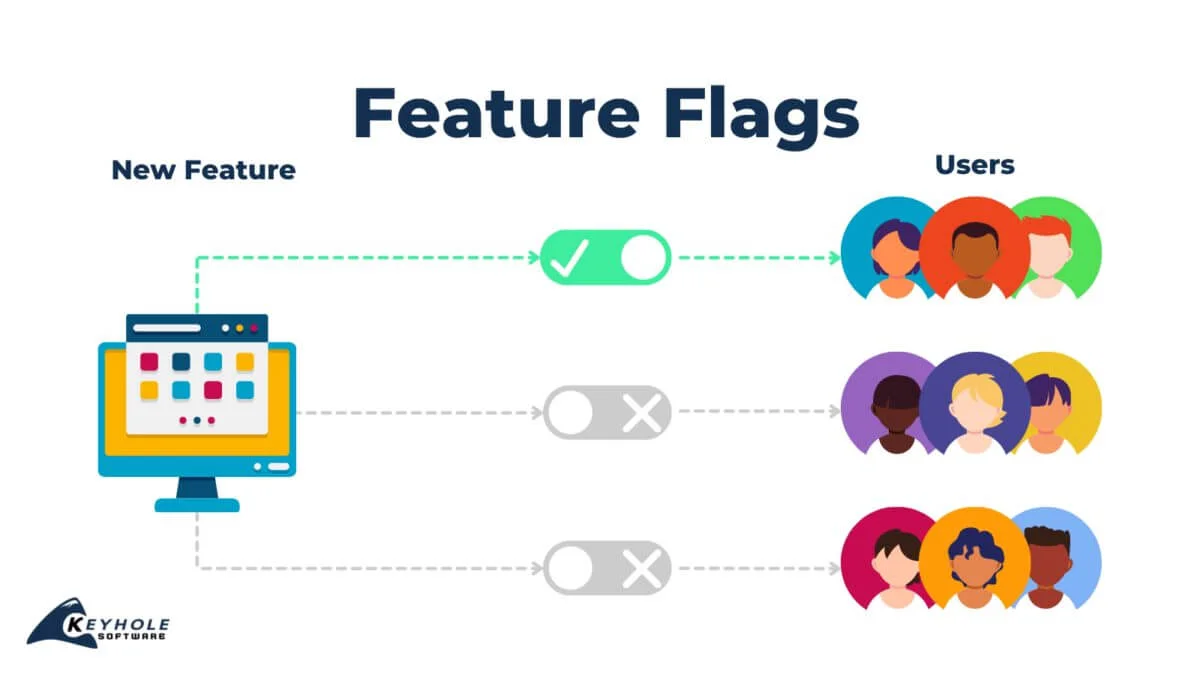
feature flags diagram

A Quick Look at Feature Flags

Braden Niswonger Articles, Development Technologies & Tools, Programming 3 Comments

Using feature flags, also known as feature toggles or switches, is a software technique that allows segments of code to be toggled during runtime, without the need for redeploying.

Feature flags can be a powerful tool for teams utilizing continuous integration practices, allowing code to be deployed in a dormant state and enabled later on. At a basic level, they provide the ability to conditionally render or activate features at will.

In the blog, Iโ€™ll cover feature flags. Weโ€™ll start by discussing why and when we use them, and then weโ€™ll move into an overview of what it looks like to develop with them. Letโ€™s dive in!